One gateway, one app, up to 300 devices. Here is how LTECH Smart Life connects your entire HCL lighting system — from the wall panel to your phone — without a dedicated server or IT setup.
One wall panel, one free app and a wireless mesh — but the honest answer to "will it just work?" depends on which protocol is carrying the command. In the LTECH Smart Life stack the drivers are Matter over Thread (Matter 1.4), the wall panels are Bluetooth 5.0 SIG Mesh controllers that store the schedule locally, and the app is the configuration surface. There is no mandatory server, no licence fee and no DALI bus required. There are, however, real limits to what a wireless mesh will do, and this guide states them rather than listing features.
| Key fact | Source |
|---|---|
| LTECH SE-series smart drivers are Matter over Thread, Matter 1.4 — not DALI. | LTECH product data, `data/dsh_migrated/driver_lt.csv` rows D004–D008 |
| A single LTECH mesh is published as supporting up to 300 devices. | LTECH published capacity, as carried on the superseded live article (`content/insights/live/ltech-smart-life-ecosystem-guide.txt`); no vendor document or product card in our records |
| A typical 200 sqm SME office uses 24 drivers + 4 panels + 6 sensors = 34 of 300 nodes (11.3%). | Internal calculation — formula written out below |
| Matter mandates OTA firmware-update support; automatic rollback is optional. | Matter specification overview (public technical documentation) |
| The SUMLINK control stack runs a 2700K–6500K tuning range with local schedule storage. | SUMLINK catalog and lighting-programs data |
Vocabulary used below — every term defined
| Term | What it means | Why it matters here |
|---|---|---|
| Photopic lux | Light weighted to cone sensitivity — what a lux meter reports | The unit most specifications are written in; it says nothing about circadian effect |
| M/P ratio | Melanopic illuminance ÷ photopic illuminance | Single-number proxy for circadian stimulus |
| m-EDI | Melanopic equivalent daylight (D65) illuminance, per CIE S 026:2018 | The unit WELL and CIE write thresholds in |
| EML | Equivalent melanopic lux — WELL's wording for the same quantity | 1 EML ÷ 1.103 ≈ m-EDI; 150 EML ≈ 136 m-EDI |
| DALI-2 | IEC 62386 wired control bus | Wired alternative to a wireless mesh — different cable, different commissioner |
| Thread Border Router | Device that joins a Thread mesh to your IP network | A Matter-over-Thread driver needs one to be reachable from the app |
Every LTECH installation has three layers, and the mistake most specifications make is assuming one protocol runs all three. It does not.
| Layer | What lives here | Protocol actually used | Evidence |
|---|---|---|---|
| Device layer — the light | LTECH SE-series smart driver inside each luminaire | Matter over Thread, Matter 1.4 | `driver_lt.csv` rows D007 `SE-40-300-1050-W2MA`, D008 `SE-12-100-500-W2MA` |
| Gateway layer — the schedule | Super Panel 4S / 6S / 12S wall panel | Bluetooth 5.0 SIG Mesh + Wi-Fi 2.4/5GHz + Ethernet; local scenes stored without a gateway | `panel.csv` rows P001–P003 |
| Cloud and voice layer | `CG-KIT S80` gateway, LTECH Smart Life app, Matter Bridge | BLE Mesh + Ethernet; Apple HomeKit + Matter Bridge | `panel.csv` row P012 |
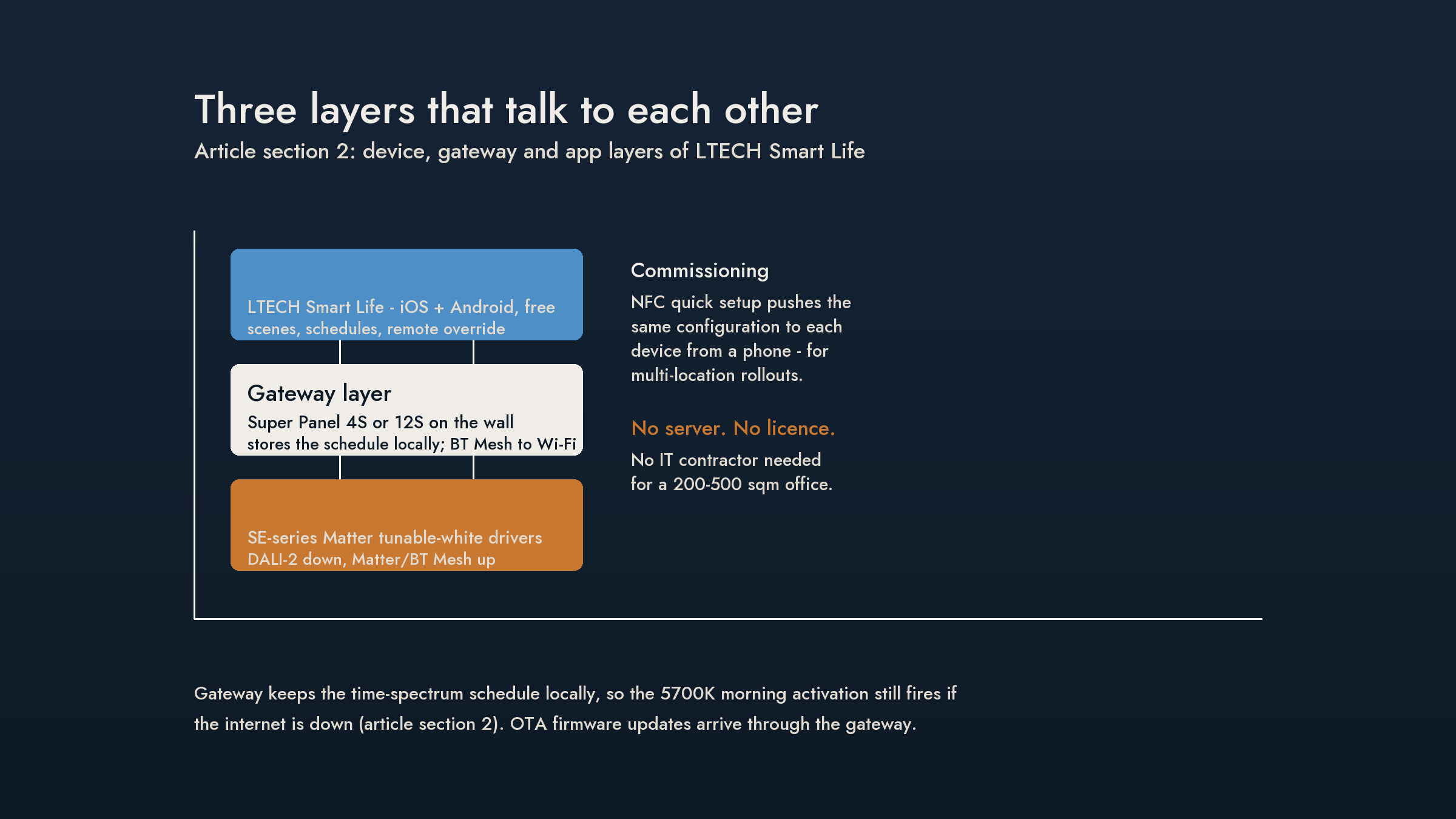
Source: `data/dsh_migrated/driver_lt.csv` (rows D007, D008) and `panel.csv` (rows P001–P003, P012). Protocol designations are taken from our product records, not from marketing copy.
Read that table carefully, because it corrects a sentence that appears in most LTECH marketing copy. The SE-series driver does not speak DALI; it speaks Matter over Thread. The phrase "DALI-2 down to the LED driver" describes a different product family — a wired DALI-2 luminaire — and applying it to the SE-series wireless stack is the single most common specification error on this product line.
If your fixture already contains a DALI-2 or 0-10V driver, that is the protocol you inherit when you keep it. If you replace the driver, you choose the protocol. Those are the only two honest options.
| Protocol | Layer it belongs to | Addressing model | Interoperability | SUMLINK status |
|---|---|---|---|---|
| Bluetooth SIG Mesh | Panel to panel, panel to sensor | Flooding mesh with relay nodes; practical meshes are sized in the low hundreds of nodes | Cross-vendor within the SIG Mesh model set | Supplied — panels and sensors |
| Matter over Thread | Driver to network | IPv6 mesh; each device needs a Thread Border Router | Cross-ecosystem (Apple Home, Alexa, Google, SmartThings) via Matter | Supplied — all SE/LA/LM smart drivers |
| DALI-2 | Wired bus to the driver | IEC 62386 bus — 64 short addresses per line, one bus controller | Broad and mature, but needs mains-rated control cabling and a DALI commissioner | Not used by the SE-series wireless stack |
| 0-10V | Wired analogue to the driver | No addressing, no feedback — one control circuit per group | Universal; lowest cost, lowest intelligence | Supported where the luminaire accepts it |
| Casambi | Third-party BLE ecosystem | BLE mesh, vendor-managed | Closed vendor ecosystem | Not supplied or certified by SUMLINK — listed for comparison only |
The practical consequence: if you want per-fixture addressing with no new cabling, Thread/Matter is the path. If you need a hard-wired bus with a documented commissioning certificate, DALI-2 is the path. Neither is "better" — they fail in different ways.
Basis: the DALI addressing model per IEC 62386; the Bluetooth SIG Mesh and Thread/Matter models per the respective public specifications; SUMLINK supply status per `driver_lt.csv` and `panel.csv`. Casambi is listed for comparison only and is not assessed here.
"Up to 300 devices" is a vendor capacity figure, and a capacity figure without a utilisation calculation is marketing. Here is the arithmetic, written out.
| Space | Driver nodes | Panels | Sensors | Total nodes | Share of a 300-node mesh |
|---|---|---|---|---|---|
| 200 sqm office | 24 | 4 | 6 | 34 | 11.3% |
| 300 sqm office | 36 | 6 | 8 | 50 | 16.7% |
| 500 sqm office | 60 | 8 | 12 | 80 | 26.7% |
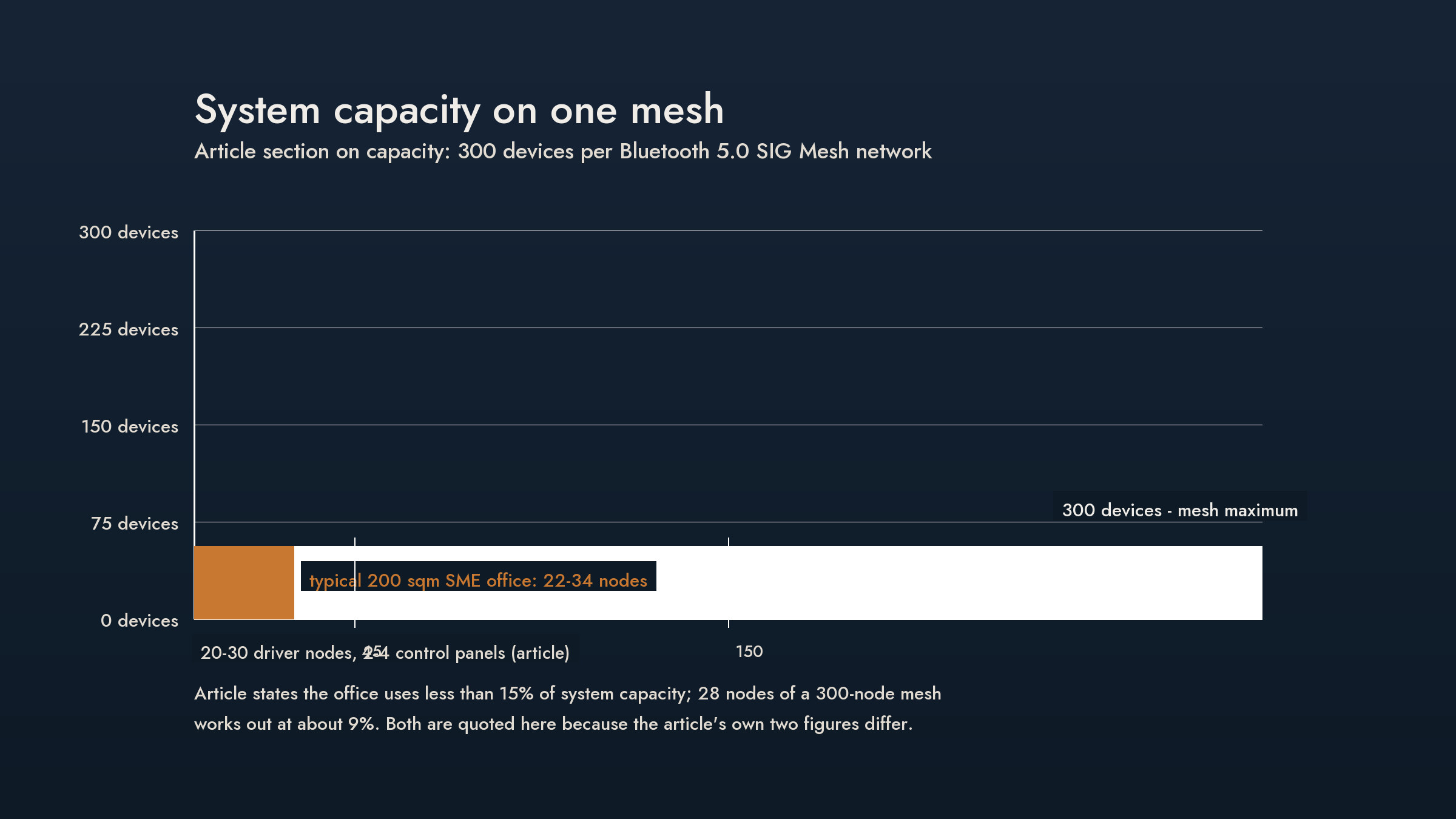
Formula: total nodes ÷ 300. The node counts are a planning model for a typical office fit-out; the 300-node ceiling is LTECH's published system capacity. Both are labelled, because mixing a vendor ceiling with our own node counts without saying so is how "less than 15% of capacity" ended up ambiguous in the first place.
Sources: the 300-node ceiling is LTECH's published system capacity; the node counts are a SUMLINK planning model (internal estimate, not a measured deployment).
Two caveats worth carrying into a tender. First, node count is rarely the binding limit in a Bluetooth mesh — relay depth and the physical radio path are, and neither is captured by a single capacity number. Second, we hold no measured latency figures for this stack, so this article makes no latency claim at all. Where a vendor gives you a capacity number and no latency number, ask for the latency number before scaling past one floor or one fire compartment.
A wireless lighting system's real quality shows up on the bad day. This is what is documented, and what is not.
| Failure | Documented behaviour | Evidence status |
|---|---|---|
| Internet outage | Schedules run from the panel's local storage — panels are specified as "local scenes / no gateway required" | Vendor specification; not independently tested by us |
| Panel clock accuracy, DST handling, hold-over after NTP loss | No documented figure in our records | 未驗證 — do not specify a hold-over period |
| Mains power loss and recovery | Panels and drivers restart; whether the schedule resumes mid-node or waits for the next node is not documented | 未驗證 |
| Failed OTA leaving defective firmware | Matter mandates OTA support; automatic rollback is an optional vendor feature | Matter specification overview (public) |
| Mesh partition (a relay node removed) | Mesh re-routes; recovery time not documented for this stack | 未驗證 |
None of these is a defect claim. They are the questions to put in writing to the manufacturer before a client signs, because a wireless system that loses its clock silently is a system that runs the 08:00 activation curve at 14:00 — and nobody notices until the complaints arrive.
Knowing the protocol layers is one thing; knowing the sequence saves a site visit. The order matters, because a driver that cannot see a Thread network cannot be added to a schedule afterwards.
| Step | What happens | Failure mode if done out of order |
|---|---|---|
| 1. Confirm the Thread Border Router | Identify which device provides the Thread network — this is the prerequisite for every driver | Drivers commission but remain unreachable; you discover it after the ceiling is closed |
| 2. Power and locate the panels | Panels are mains or USB-C powered and become the schedule store | Panel discovered late forces a re-visit to re-bind zones |
| 3. Bind drivers to zones | Drivers are commissioned with the QR/onboarding payload and assigned to a zone in the app | Zones rebuilt later invalidate the schedule nodes already written |
| 4. Load the schedule | The time-spectrum programme is uploaded once and stored locally on the panel | Schedule written before zoning must be rewritten node by node |
| 5. Link sensors | Presence sensors are associated to the zones they control | Sensors that command an unknown zone simply never dim anything |
| 6. Verify against a lux meter | Spot-check illuminance at the work plane and at the eye; check the CCT steps at the panel readout | A schedule that looks correct in the app can still be wrong at the desk |
Step 6 is the one that gets skipped, and it is the only step that verifies the installed result rather than the configured intention. It is also where a design-target figure meets a real meter — and where the difference between the two becomes visible for the first time.
Basis: SUMLINK commissioning procedure (internal); the protocol prerequisites are per vendor documentation.
Matter is unusually well specified on commissioning security, and the chain is worth knowing because every link is checkable.
Sources: NIST, Security Analysis of Trust on the Controller in the Matter Protocol (Shashwat, Hahn, Ou, Singhal, IEEE CNS 2023); Silicon Labs, Matter Fundamentals — Security and Introduction to Matter (public vendor documentation). The normative CSA specification text was not read; treat the above as a correct summary drawn from secondary technical sources, and verify against the CSA specification before quoting it in a contract.
The architectural claim worth testing is not "no server" but "no server required for the schedule to run". Those are different statements.
| Function | Runs locally | Runs in the cloud |
|---|---|---|
| Time-spectrum schedule (the CCT and illuminance nodes) | Yes — stored on the panel | No |
| Zone scenes and local overrides | Yes — panel and wall switches | No |
| Presence-sensor auto-dim | Yes — sensor to driver, local | No |
| Remote access from outside the building | No | Yes — via the app bridge |
| Voice control (Siri / Alexa / Google) | No | Yes — via the Matter bridge |
| Firmware updates | No | Yes — OTA through the gateway |
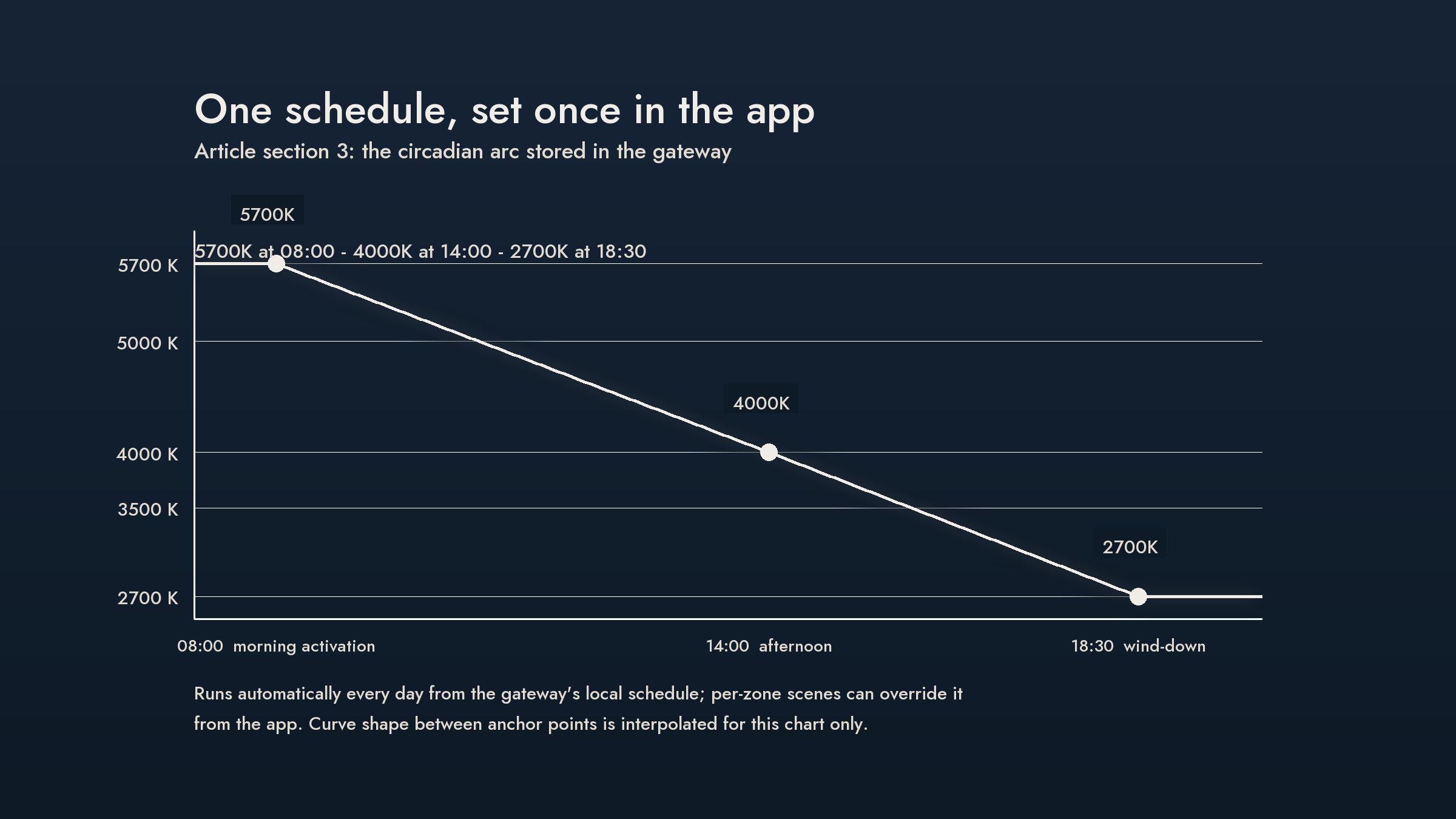
If a schedule node needs to survive an internet outage, it belongs in the left column, and the left column is the panel's local storage. If it is a convenience feature — remote override, voice control, OTA — it belongs in the right column, and it will be unavailable when the WAN is down. Designing with that split stated explicitly is what separates a resilient installation from a demo that only works while the router is up.
Source: `panel.csv` local-scene and offline-functionality fields; cloud features and OTA behaviour from vendor documentation. The hold-over time after a loss of internet is not documented in our records.
| Item | Wireless (Thread/Matter retrofit) | Wired DALI-2 | Status |
|---|---|---|---|
| Control cabling | Not required | Mains-rated control bus required | Design consequence |
| Commissioning labour, 200 sqm office | ~1 electrician-day | ~3–5 electrician-days including cable pulls and bus commissioning | Internal planning estimate — verify per project |
| Commissioning tool | Free vendor app | DALI commissioning software and interface | Vendor |
| Addressing granularity | Per driver node | Per driver node | Equivalent |
| Wiring failure modes | None in the control path | Cable faults, bus power, termination | Design consequence |
| Protocol lock-in | Matter ecosystem | DALI ecosystem | Design consequence |
The labour figures are a planning estimate, not a quotation, and they will move with ceiling access, occupancy windows and how many luminaires must be opened. They are here so a reader can see the shape of the comparison: the wireless case trades cable and commissioning days for a driver swap, and inherits a dependency on the radio environment in exchange.
Basis: SUMLINK internal planning estimate; not a quotation and not a measured project record.
Stated plainly, because a specifier's guide that hides its gaps is not a guide. The current published version of this article makes four claims that no record in our product data supports:
This draft removes all four and keeps the tables. Where a claim cannot be evidenced, the honest guide is shorter, not vaguer.
Basis: each item above is checked against our own product records — `driver_lt.csv`, `panel.csv`, `bom.csv` — and against the superseded version of this article. Items 1, 3 and 4 are absent from those records; item 2 rests on the Matter specification's OTA requirement as summarised by vendor documentation, which we did not read in the normative form.
No dedicated server and no on-site IT contractor are required. The schedule lives on the wall panel and the free LTECH Smart Life app is the configuration surface. You do need a Thread Border Router if your drivers are Matter over Thread.
Not the SE-series wireless stack. LTECH SE-series smart drivers communicate over Matter over Thread (Matter 1.4). DALI-2 is a wired bus belonging to a different product family and cable.
LTECH publishes system capacity of up to 300 devices per mesh. A typical 200 sqm office uses roughly 34 nodes - 24 drivers, 4 panels and 6 sensors - about 11% of that ceiling.
The time-spectrum schedule runs from local storage on the panel, so scheduled nodes still fire without a WAN connection. Remote app access, voice control and firmware updates require the internet and will be unavailable.
No. The CG-KIT S80 gateway exposes the system as a Matter bridge, and Matter is accepted by Apple Home, Amazon Alexa, Google Home and SmartThings. Voice control sits on top of the local schedule.
Every device in this stack is listed in the SUMLINK Drivers & Controls catalog, with protocol, capacity and certification stated per model — not per product family. → Browse the Drivers & Controls catalog